
- This topic has 3 replies, 2 voices, and was last updated 7 years, 2 months ago by
.
Viewing 4 posts - 1 through 4 (of 4 total)
Viewing 4 posts - 1 through 4 (of 4 total)
- You must be logged in to reply to this topic.


Home › Forums › Pro Themes › Education Hub Pro › Post preview
Tagged: post
wensolutions. beta
betaI have purchased the Pro version.
I have made a page to list all the posts of the same category. Under the post title, there is “preview” of the post content. The content shows the concatenation (40 words, default, as I set) of my post. It becomes very ugly as actually the content should not be “stick” together (as that contains a hyper link).
Can I concatenate a <br> to the “preview” of the post?
e.g.,
My post like this:
POST TITLE
“Hello World” //Post Content Line 1
“http://www.helloworld.com” //Post Content Line 2 which is a URL
The preview will look like
POST TITLE
Hello Worldhttp://www.helloworld.com
I want the result in the preview page to look like
POST TITLE
Hello World
http://www.helloworld.com
Please advise.
 wensolutions
Hello @beta,
Thank you for using the pro version.
Regarding your issue, actually we are not quite clear with this, so can you please explain the issue with the proper screenshot so that we can understand properly and help you further?
Thank you.
Regards!!
betaThe post we made is like this:
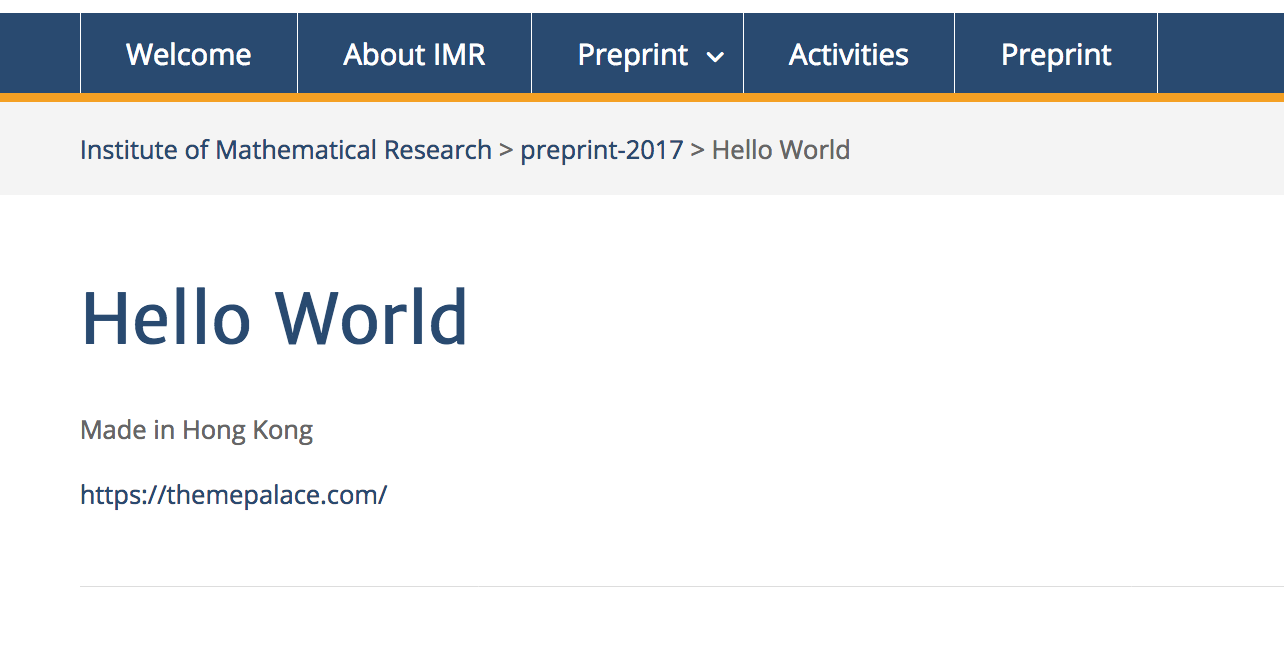
On the page that displaying all the post:

You will find that the URL is stick next to the words “Made in Hong Kong”, but we indeed have a <br> in our original page. This looks strange. How can we control the preview so that the URL will not stick next to the first line of the post_content?
Note that we cannot do this by preview word limitation, because the first line of our content is different across the posts.
wensolutionsHello @beta,
The blog page will display the content directly from the post without adding the
tags.
So if you want to display in such a way then add your desired content in the excerpt field of the individual post edit screen.
Screenshot:
– http://prntscr.com/md7207
– http://prntscr.com/md72aw
Hope this clears the confusion.
If you have any confusion further please let us know.
Thank you.
Regards!!
| Cookie | Duration | Description |
|---|---|---|
| cookielawinfo-checkbox-analytics | 11 months | This cookie is set by GDPR Cookie Consent plugin. The cookie is used to store the user consent for the cookies in the category "Analytics". |
| cookielawinfo-checkbox-functional | 11 months | The cookie is set by GDPR cookie consent to record the user consent for the cookies in the category "Functional". |
| cookielawinfo-checkbox-necessary | 11 months | This cookie is set by GDPR Cookie Consent plugin. The cookies is used to store the user consent for the cookies in the category "Necessary". |
| cookielawinfo-checkbox-others | 11 months | This cookie is set by GDPR Cookie Consent plugin. The cookie is used to store the user consent for the cookies in the category "Other. |
| cookielawinfo-checkbox-performance | 11 months | This cookie is set by GDPR Cookie Consent plugin. The cookie is used to store the user consent for the cookies in the category "Performance". |
| viewed_cookie_policy | 11 months | The cookie is set by the GDPR Cookie Consent plugin and is used to store whether or not user has consented to the use of cookies. It does not store any personal data. |



